One of the most effective marketing strategies available to you has to be email marketing. It’s a strong digital marketing technique that allows you to get people’s attention through emails. You will need this strategy to ensure that your existing customers and potential clients are aware of the latest deals you have. Every business needs specialists that understand everything about email marketing.
If you want to learn more about the importance of this strategy, then read on to understand the benefits of a decent email marketing service provider.
Saves Time and Money
You can rest assured that hiring an email marketing service will save you time and money. It’s amazing how much work you can focus on doing when you outsource this task. Not a lot of businesses understand the outsourcing benefits and how it can get you ahead in the business world. You don’t have to pay fixed salaries for a team, you don’t need office space, and you don’t have to worry about employee benefits or bonuses. You are hiring a different team from a different company and that is cheaper compared to having your team. Also, it saves you a lot of time because now you can focus on the important tasks that your business is capable of.
High Effectiveness
The high effectiveness levels of using an email marketing service should be enough to convince anyone. Some businesses go for simple and free methods instead, but they will not get positive results. You need a decent service with effective software that will streamline every step for you when it comes to sending emails to customers. The software reviewers at Most Trust have several getresponse reviews that explain how that digital marketing company tailors emails to each client to make it personal and effective. You need a company that can create appealing emails that keeps clients engaged and attracts customers to purchase products. The free and simple methods will not have effective emails and it will not match with your business software or optimize emails to gain people’s attention.
This brief tutorial shows students and new users how to install Webmin and Virtualmin on Ubuntu 18.04 | 20.04 LTS servers.
If you’re reading this post then you probably know a thing or two about web hosting.
For those who don’t, Webmin and Virtualmin are open source tools that allows anyone be a web host provider.
These tools take the complexity out of managing Linux servers. Instead of managing each individual server and service, Webmin and Virtualmin provide a simple web interface to help manage and provision a virtual web host, manage domains email server, databases and more.
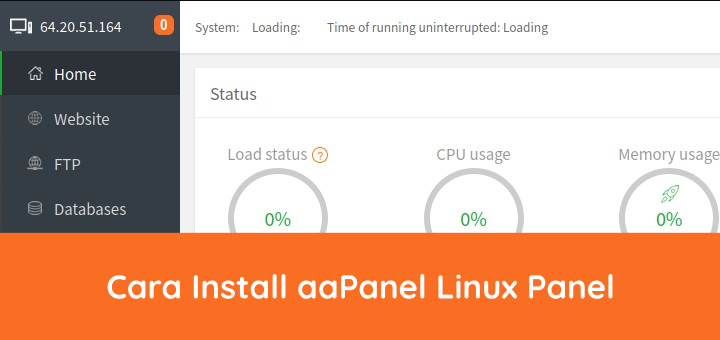
aaPanel adalah perangkat lunak control panel web hosting, mendukung distribusi Linux CentOS, Ubuntu, dan Debian. aaPanel menggunakan web server stack LAMP (Linux Apache MariaDB PHP) atau LNMP (Linux Nginx MariaDB PHP). aaPanel memakai lisensi open source dan bisa didapatkan dengan gratis.
0. Install aaPanel
Install aaPanel di distro Linux (CentOS, Ubuntu, Debian) yang masih kosong, belum terpasang aplikasi server LAMP/LNMP.
Creating backups is a very important task for every server administrator. A loss of data often occurs suddenly without a warning. It is possible to create backups manually, but we would recommend to configure automatic backups. The steps below were tested by us, but you should always check yourself if the backups are still running from time to time and if it is possible to restore the required data from it! A backup should be stored outside of the system. In the examples below we are using the Contabo Backup Space. You can order it additionally to your server.
Scheduled backups in cPanel
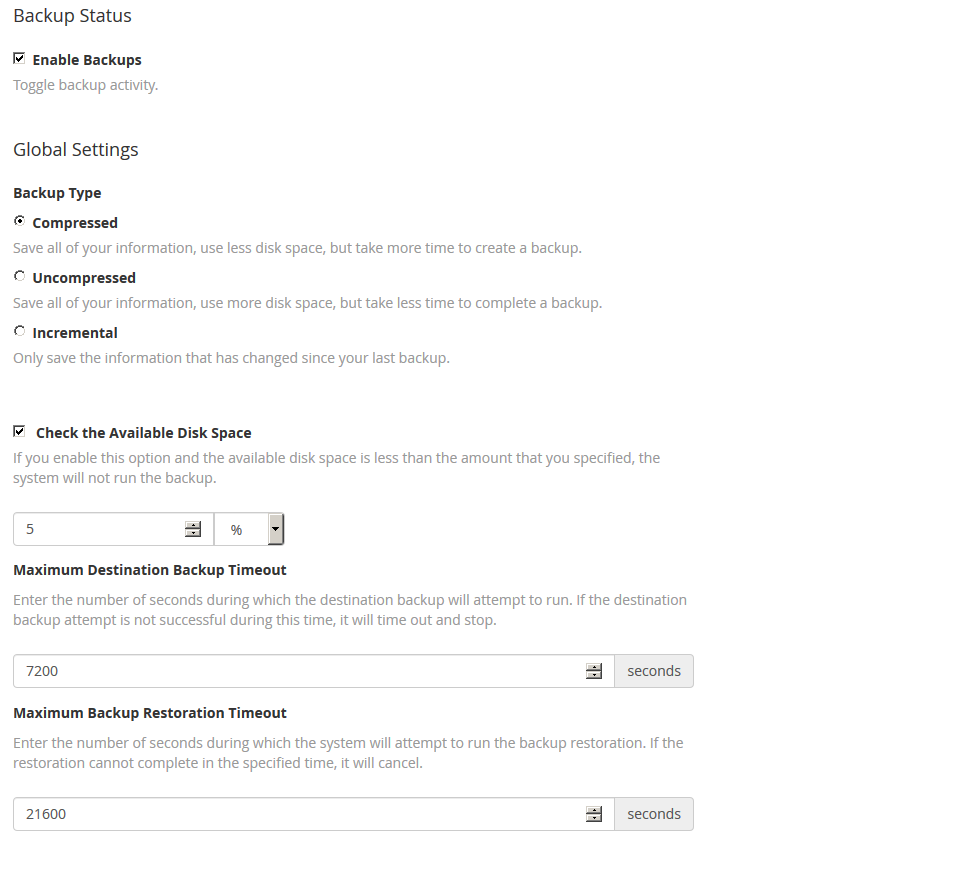
To configure automatic backups in cPanel, please go to WHM > Backup > Backup configuration. At first you have to set the tick at "Enable Backups". Then we would recommend to set the backup to "compressed". With incremental backups, you can not save to FTP in cPanel. The other global settings should be left the way they are.